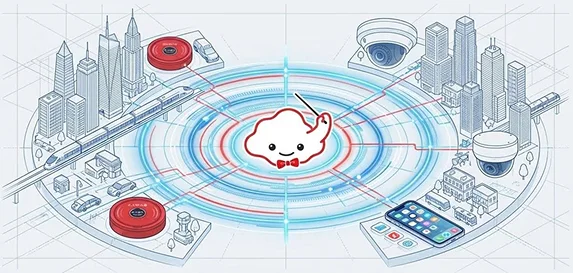
ROBO-HI is expanding the operational reach of robots — from office buildings, residential complexes, hotels and hospitals to entire cities.
ROBO-HI OS is a vendor-agnostic robot management platform that acts as a multi-purpose operating system. It enables robots to be deployed and managed in place of people for infrastructure operations such as delivery, cleaning, security, reception, and passenger transport. Robots connect seamlessly with building equipment such as elevators, automatic doors, and security systems.
ROBO-HI aims to make robots part of "social infrastructure", contributing to a higher quality of everyday life.

BROAD COMPATIBILITY
ROBO-HI OS enables centralized management of robots worldwide, lowering management and operating costs. Integration with elevators and security gates extends the robots' operating range, maximizing the return on investment (ROI).

ONE-STOP CLOUD SERVICE FOR ROBOT OPERATIONS
ROBO-HI OS plays the role of Robot Facility Planning (RFP), enhancing the asset value of buildings and facilities while optimizing operations and reducing workforce dependency — much like an ERP system does for enterprises.
ROBO-HI OS is a one-stop cloud service, packaged from the technology stack that ROBO-HI Co., Ltd. (formerly ZMP) has refined over many years of real-world robot operations.
Monitoring and control
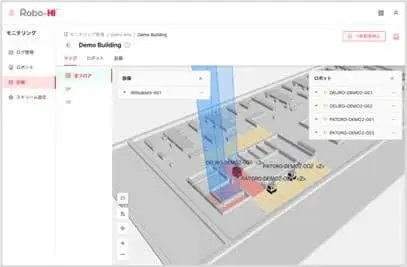
A real-time visual view of operational status. The platform coordinates and manages traffic optimally across many robots, while alerting operators promptly when incidents occur — ensuring safe and reliable robot operation.
Data analytics

Stores robot operating data and presents it as productivity reports. The system supports time-window filtering, CSV export, and data-driven operational optimization.
High-precision 3D maps for autonomous operation

Stores robot operating data and presents it as productivity reports. The system supports time-window filtering, CSV export, and data-driven operational optimization.

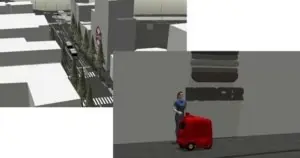
Digital Twin simulation

Set up people flows, logistics flows, and device systems within cities and buildings to physically simulate the operating area and the appropriate number of robots.
Core operational services
Map creation:
- Convert the real environment into a high-precision 3D map with RoboMap.
- Convert BIM (Building Information Modeling) data into Point Cloud.
- Compatible with every data format used by different robot vendors (2D/3D Point Cloud, Occupancy Grid, etc.).
- Provides coordinate-translation tools that unify disparate robot maps into the ROBO-HI absolute coordinate system.
Map editing and semantic tagging:
- Build operating scenarios: move from A to B, change expression/sound, take the elevator autonomously, etc.
- Provide semantic information to robots and external systems: permitted travel areas, traffic signals, crosswalks, elevator waiting zones, priority dispatch zones.
Route setup:
- Automatically generate the optimal route to a destination in real time.
- Update and reroute flexibly in response to changing external data.
Traffic coordination:
- Manage many robots simultaneously to avoid collisions and keep narrow spaces safe.
- Set priority order and waiting zones, deciding which robot enters a given area first.
- Priority zones: for narrow aisles that allow only one robot at a time.
- Elevator waiting zones: queue multiple robots waiting for the elevator.
Robot integration:
- Continuous connection between each robot and the ROBO-HI system.
- Robot → ROBO-HI: position, status (working, speed, battery), elevator status reports.
- ROBO-HI → Robot: dispatch commands (move/stop), tasks and scenarios.
- Task: a robot moves from point A to B. Scenario: a collection of tasks plus device states (elevator, automatic door, etc.).
Robot dispatch:
- Adjust and manage tasks across many robots.
- Automatically pick the best robot type (cleaning, delivery, etc.) for each job.
- Execution timing: a) On-demand: run as soon as the request arrives. b) Scheduled: run at a specified time.
- Incident handling: automatically dispatch a backup robot if the primary one fails or runs out of battery.
Simulation:
- Use RoboSim to physically simulate robot behavior in indoor and outdoor environments. Simulation output can be fed into IZAC to run ZMP robots directly.
- System load testing: simulate 100 robots (delivery, cleaning, guidance) inside a 12-story building, including elevator, automatic doors, and security-gate operations.